
iRedTouch HD1.3.2 - App Store
You'll be able to see results in few seconds.
Publisher Description
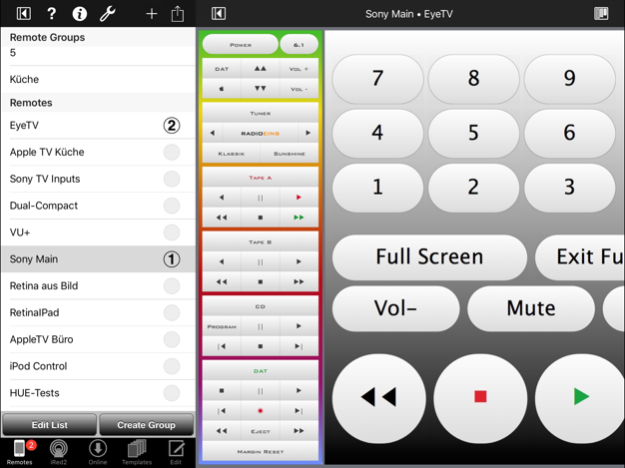
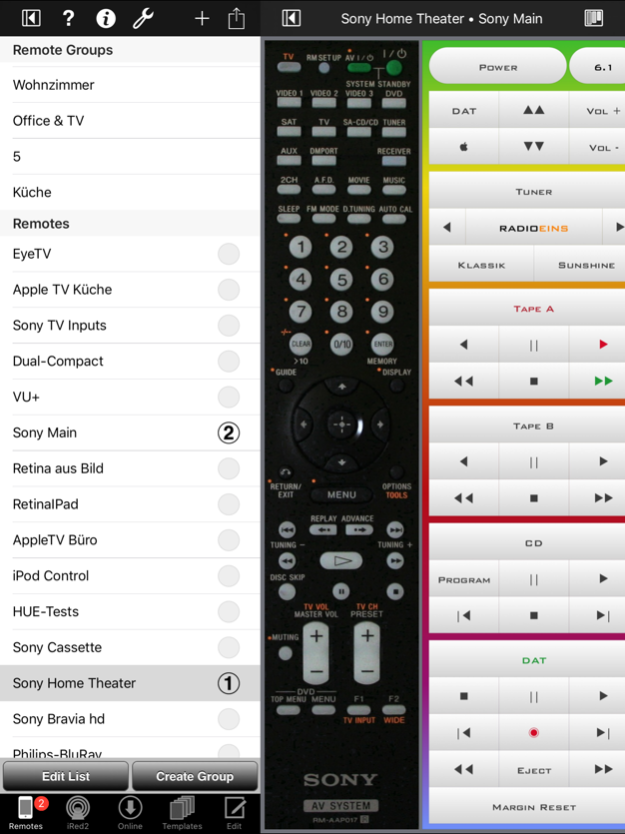
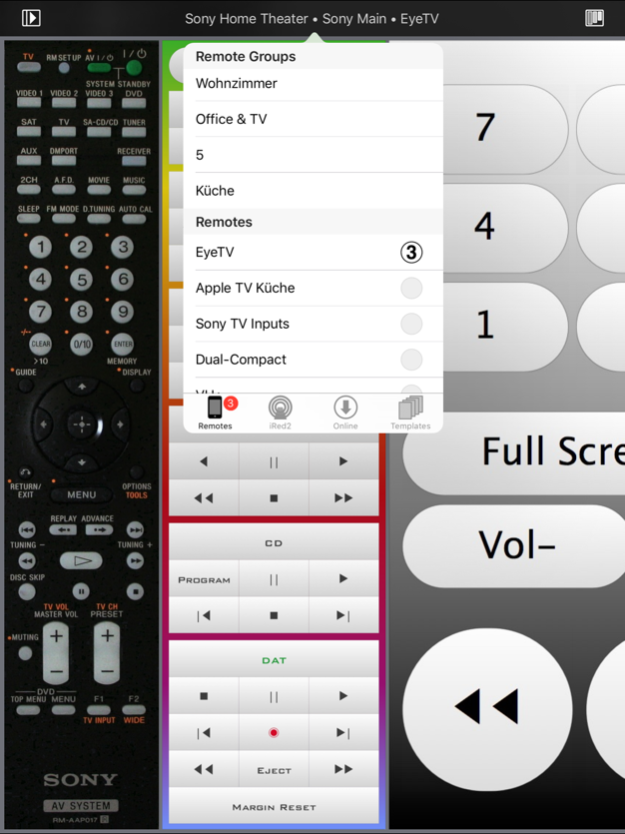
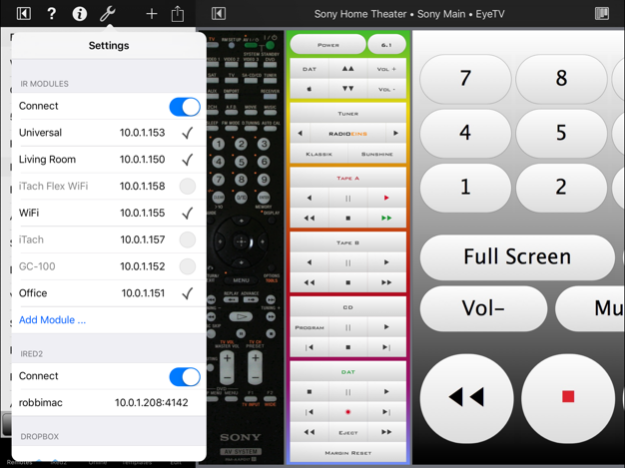
iRedTouch HD - the universal "Universal Remote" for iPad
PLEASE NOTE: This application requires additional hardware
Are you tired of having several remotes lying around in your living room? Do you want to use your iPad instead? This and much more is possible with iRedTouch HD - in conjunction with an infrared LAN or WiFi module by IRTrans GmbH (www.irtrans.com) or a GC-100 or iTach module by Global Caché (www.globalcache.com).
Please visit iRedTouch HD website for details.
WITH ONE IR MODULE:
- Use your fingers to flip through the list of your remotes on the iPad
- Tap on the photo of your remote - and the IR module transmits the respective IR signal
- Hold down your finger - and the IR signals will be sent repeatedly, if appropriate
- Infrared codes of all common devices (HiFi/TV/DVD/...) can be taught to iRedTouch
- Control your Philips HUE lighting system, too!
- No PC or Mac needs to be running at all!
- All this is even possible via mobile networks! The magic is called "VPN".
WITH MORE IR MODULES:
- Control all IR-capable devices in your household, from anywhere in your WLAN
- Determine which remote will use which IR module all over your network
WHICH MODULES ARE SUPPORTED?
- All IRTrans modules LAN or WiFi, IR with up to 16 LEDs, RS232, contact closure, if available
- GC-100 (Global Caché), IR, RS232, contact closure
- iTach (Global Caché), IR, RS232, contact closure, depending on model
- iTach Flex (Global Caché), IR, RS232, contact closure, with adapters
HOW TO CREATE A REMOTE:
1. Make a photo of your remote, scan it, or even make a sketch of it
2. In iRedTouch choose the very photo as the touchable area of your new remote
3. Place the buttons on the screen, simply by tapping onto the photo
4. Teach the infrared signals to iRedTouch - a built-in assistant makes this easy
5. That's it!
NOT ONLY INFRARED
iRedTouch can perform lots of "actions":
- Infrared-Code with IR modules, via external LEDs if available
- RS232 strings with certain modules
- Contact closures with certain modules
EVEN WITHOUT MODULES ...
- Control your Music app ("iPod")
- Call URLs (aka web adresses), some devices understand that!
- Control Philips HUE Personal Wireless Lighting
- Jump to a different remote
- Create Macros from all these actions
IF YOU HAVE A MAC:
- Control "iRed2" on the Mac - a free license is included with certain IRTrans modules
- Use IRTrans USB modules connected to your Mac, just from iRedTouch via iRed2
- Control your Mac, change speaker volume, send it to sleep, ...
- Control iTunes, let iRed2 announce the current track, jump to the next album, set ratings, etc.
- All this and much more from iRedTouch on your iPad
WITH YOUR MAC ON THE ROAD:
- Control applications on your MacBook (Pro), e.g. a PowerPoint or Keynote presentation - via WLAN from your iPhone
- Control QuickTime Player or VLC, or whatever. iRed2 is very flexible and adjustable to your needs
FEEDBACK
If you find a bug, please send me a mail: "iredtouch@tinbert.com". If you have some wishes or suggestions, I'd be glad to hear about, too.
Please rate the app here in the App Store or leave a comment. The further development of the app depends on that the app is being bought and is being improved based on your feedback.
Nov 8, 2016
Version 1.3.2
This app has been updated by Apple to display the Apple Watch app icon.
V1.3.2
- Fix: No visual touch feedback
- Feature: Scale all touch buttons at once
V1.3.1
- User interface updated for iOS 8 or later
- Small Bugfixes
Wishes? Questions? Mail to iredtouch@tinbert.com
About iRedTouch HD
The company that develops iRedTouch HD is tin:b Software. The latest version released by its developer is 1.3.2.
To install iRedTouch HD on your iOS device, just click the green Continue To App button above to start the installation process. The app is listed on our website since 2016-11-08 and was downloaded 0 times. We have already checked if the download link is safe, however for your own protection we recommend that you scan the downloaded app with your antivirus. Your antivirus may detect the iRedTouch HD as malware if the download link is broken.
How to install iRedTouch HD on your iOS device:
- Click on the Continue To App button on our website. This will redirect you to the App Store.
- Once the iRedTouch HD is shown in the iTunes listing of your iOS device, you can start its download and installation. Tap on the GET button to the right of the app to start downloading it.
- If you are not logged-in the iOS appstore app, you'll be prompted for your your Apple ID and/or password.
- After iRedTouch HD is downloaded, you'll see an INSTALL button to the right. Tap on it to start the actual installation of the iOS app.
- Once installation is finished you can tap on the OPEN button to start it. Its icon will also be added to your device home screen.
Program Details
System requirements
Download information
Pricing
Version History
version 1.3.2
posted on 2016-11-08
Nov 8, 2016
Version 1.3.2
This app has been updated by Apple to display the Apple Watch app icon.
V1.3.2
- Fix: No visual touch feedback
- Feature: Scale all touch buttons at once
V1.3.1
- User interface updated for iOS 8 or later
- Small Bugfixes
Wishes? Questions? Mail to iredtouch@tinbert.com
version 1.3
posted on 2011-10-13
Disclaimer
Official App Store Link
We do not host iRedTouch HD on our servers. We did not scan it for viruses, adware, spyware or other type of malware. This app is hosted by Apple and passed their terms and conditions to be listed there. We recommend caution when installing it.
The App Store link for iRedTouch HD is provided to you by apps112.com without any warranties, representations or guarantees of any kind, so access it at your own risk.
If you have questions regarding this particular app contact the publisher directly. For questions about the functionalities of apps112.com contact us.
